Reference

spade88 Esports Betting Hub Markets

Esports Betting Hub on spade88 places match cards, market choices and your stake slip on one screen, so you can compare an event before confirming your selection.

Match event cardsMarket selectionStake slip viewPhone-ready layout
spade88 spade88 Esports Betting Hub Markets
spade88 How The Esports Board Works

How The Esports Board Works

Our Esports Betting Hub is built around event cards rather than a single spinning reel or dealer table. You choose an available esports match, open its market panel, set a stake, and check the selection shown in your slip before confirmation. The lobby keeps event details, market labels and current status close together, helping you avoid switching between unrelated game rooms. Provider

and event availability can change by session, while access depends on local law in Indonesia.

EVENT DETAILS

What You See Before Entry

Each Esports Betting Hub screen is arranged to make the next decision visible before you add anything to your slip.

Updated today
spade88 Match-first browsing
EVENT CARD

Match-first browsing

Every esports choice begins with an event card, so you can identify the match before opening its market area. The card keeps the event label and current status visible, helping you avoid adding a selection from the wrong fixture.

spade88 Choices beside context
MARKET PANEL

Choices beside context

Available selections sit inside the event panel rather than in a separate game screen. This keeps the match reference close while you compare choices, then move one selected option into the stake slip for a final check.

spade88 Confirmation before placement
SLIP CHECK

Confirmation before placement

Your slip is the final control point for an Esports Betting Hub entry. We show the chosen event and market there, allowing you to inspect the selection and stake before you confirm it from the same account session.

BETTING FLOW

Esports Betting Hub Gameplay Flow

The gameplay flow starts with a match, not a random round. After phone verification gives you account access, choose Esports Betting Hub from the lobby and open one…

Enter from the lobby Choose Esports Betting Hub from the game lobby after logging…
Open one event Tap an event card to view its available selections.
Set your stake Add a selection to the stake slip and enter the…
Check event status Read the status shown on the event board before making…
FORMAT FACTS

Esports Betting Hub At A Glance

Esports Betting Hub uses event markets, so it should not be read like a slot title with an RTP figure or volatility scale.

01

Game type

Match-market esports board. You select from available event choices rather than triggering reels, cards or a crash multiplier. The central interaction is reviewing a match card and confirming a listed market through your account.

02

Volatility

Not shown as slot volatility. Esports Betting Hub outcomes relate to the settlement of the specific match market you select, so a reel-style volatility label would not describe how this format works.

03

Supported devices

Phone and desktop browser access are supported through the same logged-in account path. On smaller screens, the event card, market panel and stake slip are arranged for tapping without opening a separate application.

04

Access region

Availability in Indonesia depends on local law. Check the event board after account access because match listings and selectable markets can vary by session, location and the current status shown in the hub.

PHONE VIEW

Esports Markets On Your Phone

Phone play keeps Esports Betting Hub focused on three practical areas: the event list, the market panel and the stake slip.

Tap match cards first
Read markets in-panel
Keep slip in view
Use one browser session
spade88 mobile gaming
MATCH HELP

Help With Esports Entries

Questions about an Esports Betting Hub selection are easier to resolve when you keep the event name and slip details available. Our account-help route is positioned close to the logged-in lobby path, so you can report a stalled event view or ask about a displayed status without describing the whole session from memory. Check the event card first, then use the support path from your account area if the market panel, slip or confirmation screen does not behave as shown.

Team online

Event card issue

If an event card does not open, return to the Esports Betting Hub board and check its displayed status first. Then contact us through the account-help path with the event label, so we can identify the screen you were viewing.

Slip question

For a question about a selected market, keep the stake slip open and note the event and market label. Our support route can use those visible details to understand whether your concern is before or after confirmation.

Account access

If you cannot reach the esports board after login, check that phone verification is complete. Use account help from the login path when access stalls, rather than repeatedly opening event cards without an active account session.

CLEAR RECORDS

How We Present Match Choices

Clarity is more useful than broad claims when you are choosing an esports market. We show the event reference, market label and stake slip together so you can check what is being…

Visible event reference

The selected event remains identifiable through the card and slip flow. This gives you a direct reference point when checking a market, rather than relying on a generic game name after you have moved deeper into the screen.

Market labels

We present available choices with labels inside the relevant event panel. Reading those labels before adding a selection is important because an esports market describes a match outcome structure, not a random casino round.

Stake confirmation

The stake slip provides a separate check before confirmation. You can inspect the event reference, selected market and entered amount there, which creates a clear account record of the choice you intended to place.

Status visibility

Event availability is shown on the board where you browse matches. We do not treat an unavailable event as an open selection, helping you distinguish an active market from one that cannot currently be chosen.

Phone verification

Clear phone verification comes before account access to the lobby. This helps connect your Esports Betting Hub session to your account, including the slip view you use when checking a selection before confirmation.

Local access wording

Esports Betting Hub access depends on local law. We use this wording because availability is not the same for every location, and the event board is the practical place to check what is currently accessible.

How The Hub Differs

The esports board has a different rhythm from the other rooms in our lobby.

Live Roulette Diamond
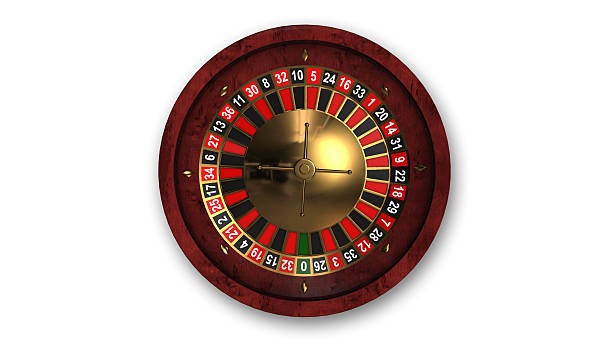
Live Roulette Diamond centres on a dealer-table round and roulette choices. Esports Betting Hub instead begins with a match card, then presents event markets and a stake slip rather than a wheel layout or table chip controls.
Plinko Fast Round
Plinko Fast Round is based on short individual rounds. The esports hub is event-led, letting you inspect a listed match and its market panel before confirmation rather than following a drop-based game sequence.
Aviator Crash Game
Aviator Crash Game uses a changing multiplier within a round. Esports Betting Hub does not use a multiplier screen; your interaction is selecting an available match market and checking it in the slip.
Fishing War Quick Arena
Fishing War Quick Arena is an action-room format with its own in-game controls. The esports hub uses event cards and labels, making it a better fit when you want to compare match choices rather than target-based rounds.
Boxing Title Bet
Boxing Title Bet focuses on boxing-related selections. Esports Betting Hub groups esports events in a dedicated board, so you can keep match categories separate while using the same logged-in account and stake-slip pattern.
Football markets
Football markets concern a different sport category, even when the account flow feels familiar. Esports Betting Hub keeps its own event list and market panels, allowing you to distinguish esports match choices from football selections.
Badminton markets
Badminton betting uses badminton fixtures and sport-specific event listings. The esports hub has a separate match board, which helps you check the category before selecting a market and adding it to your slip.
HUB HIGHLIGHTS

Six Esports Hub Details

The useful details in Esports Betting Hub are the ones you can act on before placing a selection.

Dedicated event board Esports matches are grouped in their own board instead of…
Match-led structure The first decision is which event you want to inspect.
Selection slip A selected market moves into your stake slip for a…
Session-based access Your logged-in session carries you from phone verification through the…
Phone browser layout On a phone browser, match cards are designed for tapping…
Local availability check Event access depends on local law, so the current board…

Esports Betting Hub Questions Answered

Before you open an esports event, it helps to know how the board differs from a casino room and what you will see after login. These answers focus on the match-card flow, selection slip and phone access used in Esports Betting Hub. We also explain where to check status and why local availability wording matters. If your screen does not match the event board described here, use the account-help route after checking your phone verification.

Esports Betting Hub is our match-market area for esports events. You open an event card, inspect the available market panel, add a selection to your stake slip, and check it before confirmation. It differs from reel, crash and dealer-table game formats.

Log in to your account, complete phone verification if it is requested, and choose Esports Betting Hub from the lobby. The event board opens within the same browser session, where you can tap a match card and inspect its available selections.

Yes, Esports Betting Hub is available through a phone browser using the same logged-in account path. The mobile screen keeps match cards, market panels and the stake slip close together. A wider phone view can help when you are reading longer market labels.

Aviator Crash Game is a round-based multiplier format, while Esports Betting Hub is based on listed match events. In the hub, you review an event card and market label before confirmation. There is no crash multiplier screen or single-round control pattern.

An event can show a changed status when it is not currently open for selection. Check the event card on the board first, because availability can vary by session and location. Esports Betting Hub access depends on local law.

Check the stake slip before confirmation. It displays the selected event, market and entered amount in one place, giving you a practical final check. Keep the slip details available if you need to contact us through the account-help path.

Yes, you can return to the lobby and open titles such as Live Roulette Diamond, Plinko Fast Round or Fishing War Quick Arena through the same account session. Return to Esports Betting Hub when you want match cards and esports market selections again.